Invoice Reminder Email: Four Send Points and What to Write at Each
Invoice reminder email: four dated messages at minus 3, the due date, plus 7 and plus 14, each with its own subject line, one question and a calm tone.
By Notion Freelancer OS by Cosmo Suite · Editorial policy
Published · 9 min read
An invoice reminder email names the invoice, the amount and the due date in the first sentence, then asks one question. Send four of them, each on a set date: three days before the due date, on the due date, seven days after, and fourteen days after. Each point has a different job, so each message sounds different, and the facts stay the same at all four.
This guide gives you the four messages, a subject line for each, the one line that stops a client feeling chased, and a simple way to keep the next send date in your own record. You do not need accounting software for any of it.
Key Takeaways
- A reminder is four short messages on four dates: minus 3, due date, plus 7, plus 14.
- Every message carries the same five things: invoice number, amount, due date, one payment route, one question.
- The line that works puts the facts first and asks one question, with no apology and no "just".
- When a reminder is ignored, you move to the next dated point instead of writing a longer email.
- A Notion invoice row can hold the due date and calculate the next reminder date, so you are not keeping the dates in your head.
How to send an invoice reminder email
Write four short messages once, keep them in a note, and send each one on its date. You do not have to compose a new email each time or pick the tone again under pressure.
An invoice reminder email is a short message that names an unpaid invoice, its amount and its due date, then asks one question. That definition holds at all four points. Only the pressure changes.
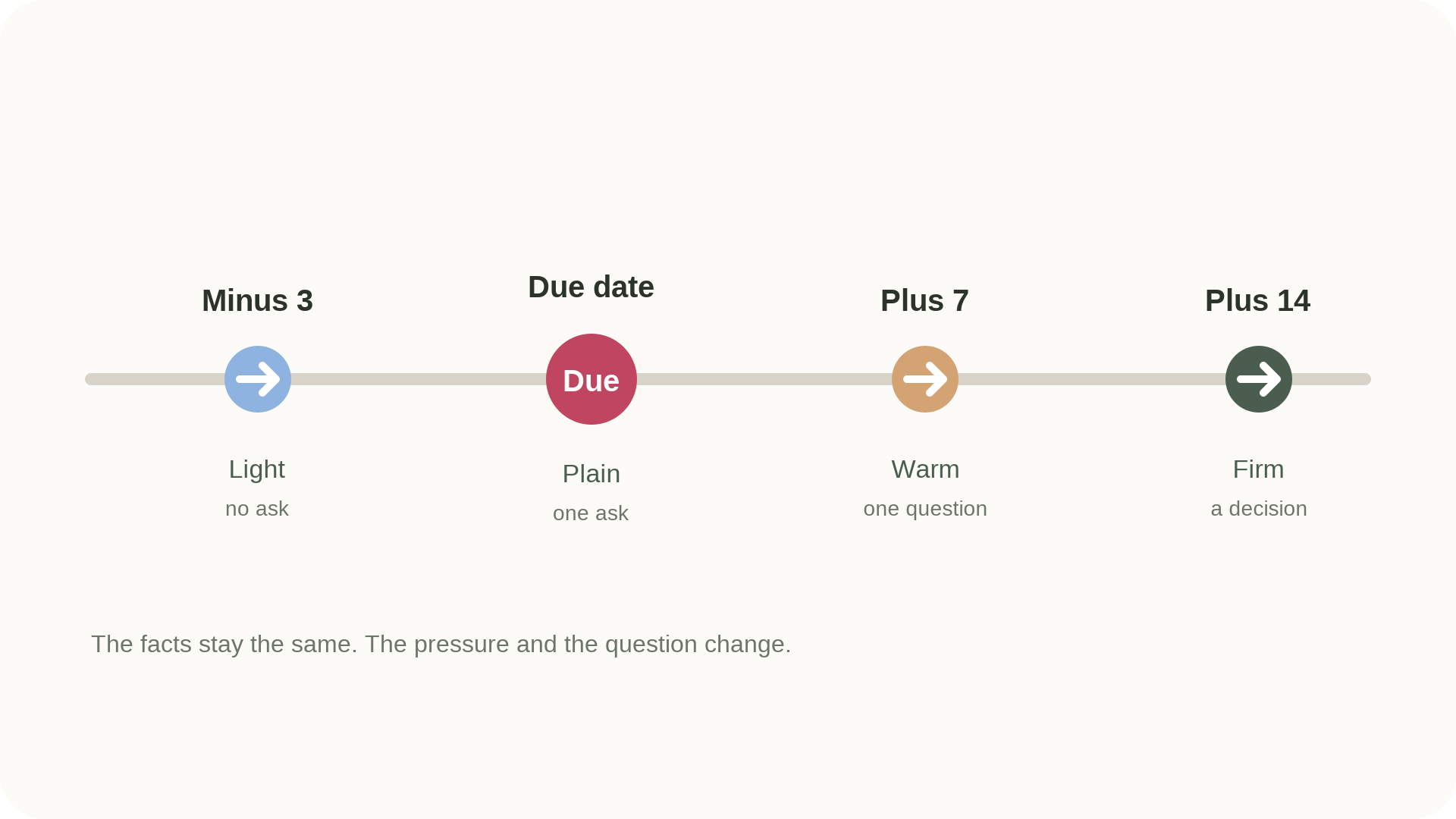
| Send point | What the message does | Subject line | Tone |
|---|---|---|---|
| Due date minus 3 | Confirms the invoice is coming, so it lands in the client's payment run | Invoice 1042 due 12 November | Light, no ask |
| Due date | Says the invoice is payable today | Invoice 1042 due today | Plain, one ask |
| Due date plus 7 | Checks whether the invoice reached the right person | Invoice 1042: quick question | Warm, curious |
| Due date plus 14 | Asks for a decision rather than another promise | Invoice 1042: payment date request | Firm, no threat |
Every reminder carries the invoice number, the amount, the due date, one payment route and one question. Four to six sentences is enough. Send it in the same email thread as the invoice, so the client can scroll up and see the original without searching.
The dates need somewhere to live. If the due date sits only in your inbox, the second and third messages depend on memory. For example, a Notion workspace that keeps the invoice row, the client and the due date together gives each send a date to hang on, and the writing stays yours.
The four send points, and what each one says
Each point does a different job, so the wording moves with it. The invoice number, amount and due date stay put. The pressure and the question at the end change.
Due date minus 3
This one is a courtesy note. It catches a client in the middle of a payment run, when your invoice can still go out with the others. Say the invoice is on its way, name the date, and ask nothing. Add a question here and you turn a courtesy into a task. Keep it light, and send it only once the invoice is with the client. If the due date already sits in an invoice tracker in Notion, this is the first date you can calculate from it.
Invoice 1042 is due Thursday 12 November. Nothing needed from you. This is a note so it lands in the right batch.
The due date
The invoice is payable today, so say that plainly. Restate the amount and the payment route, then ask for the payment date. One question, with no apology and no second ask. This message is the shortest of the four because it has the least explaining to do.
Invoice 1042 is due today. Could you confirm the payment date?
Due date plus 7
Late payment is usually administrative. The invoice sat with someone who was travelling, it went to an old address, or it is waiting on an approval nobody chased. So this invoice follow up email asks a question instead of repeating a demand. For example, ask whether it reached the right person; that one change does more for the reply than extra wording.
Invoice 1042 was due last Thursday. Has it reached the right person for approval?
Due date plus 14
By now you need a decision more than a date. Say how many days have passed, restate the amount, and ask for one of two answers: a payment date this week, or the reason it is held. Leave out late fee law, threats and lectures. The two options and a clear next step are enough.
Invoice 1042 is 14 days past due. Can you confirm a payment date this week, or tell me what is holding it up?
The one line that keeps the client from feeling chased
Name the invoice, the amount and the due date in the first sentence, then ask one question. With the facts first, nothing in the message reads as an accusation.
Here is the line, using a hypothetical invoice:
Invoice 1042 for $1,800 was due 12 November. Is there anything you need from me to get it paid?
It works because the first sentence is a status report and the second is an offer of help. The client is being asked whether something is missing, and often something is.
Cut these words: "just", "gently", "bumping this", "hate to chase", and "sorry to bother you". Each one apologises for a message the client has not objected to yet. They also push the facts further down the paragraph, which is where the delay starts.
Use the same line at all four points. Only the question changes, from "nothing needed" to "could you confirm the date" to "has it reached the right person" to "what is holding it up". A Notion workspace that keeps the invoice row and its due date together makes that easy, because you are copying from a record rather than rebuilding the facts from memory.
What goes in the subject line and the first sentence
Put the invoice number and the word invoice in the subject line, so the client can find the message later and knows at a glance that it is not a chase.
A subject line is the only part of the message a client sees before opening it, which is why the invoice number belongs there. Four patterns, one per point:
- Invoice 1042 due 12 November
- Invoice 1042 due today
- Invoice 1042: quick question
- Invoice 1042: payment date request
All four are plain text, with no brackets, no capitalised "REMINDER" and no exclamation marks. A subject line that looks like a system notice gets opened; one that looks like a complaint gets postponed.
The first sentence holds three facts: invoice number, amount, due date. The second sentence holds the question. Everything after that is optional, and usually better left out.
Leave out feelings, project history, and the word overdue at the first two points. The client knows what the project was. They do not need a summary of the work, and they do not need to hear that you are disappointed. One payment route only, so there is nothing to choose between.
When the first reminder is ignored
Do not write a longer message. Move to the next dated point and let the dates carry the escalation.
At plus 7, the question does the work: "Has it reached the right person for approval?" That gives the client an easy, true answer which is not "I have no money". At plus 14, you ask for a decision: "Can you confirm a payment date this week, or tell me what is holding it up?" Two options, and both of them move the invoice forward.
If the client offers a part payment, confirm the new date in writing the same day, then restart the four points from that date. A part payment is any amount below the invoice total, and it changes the due date for the balance rather than the invoice number. Without a written date, the balance drifts and you are back to chasing from memory.
If you are juggling several of these at once, keeping track of which invoices are unpaid is the next problem to solve, and it is a different job from writing the message.
On the legal side, business debts are generally outside the Fair Debt Collection Practices Act, which covers consumer debt (FTC, Debt collection FAQs, 2026). That is background information, not legal advice, and the rules where you live may differ. No reminder guarantees payment either. It makes the invoice easy to find and easy to approve, which is as far as a message goes.
How a Notion invoice row holds the send date
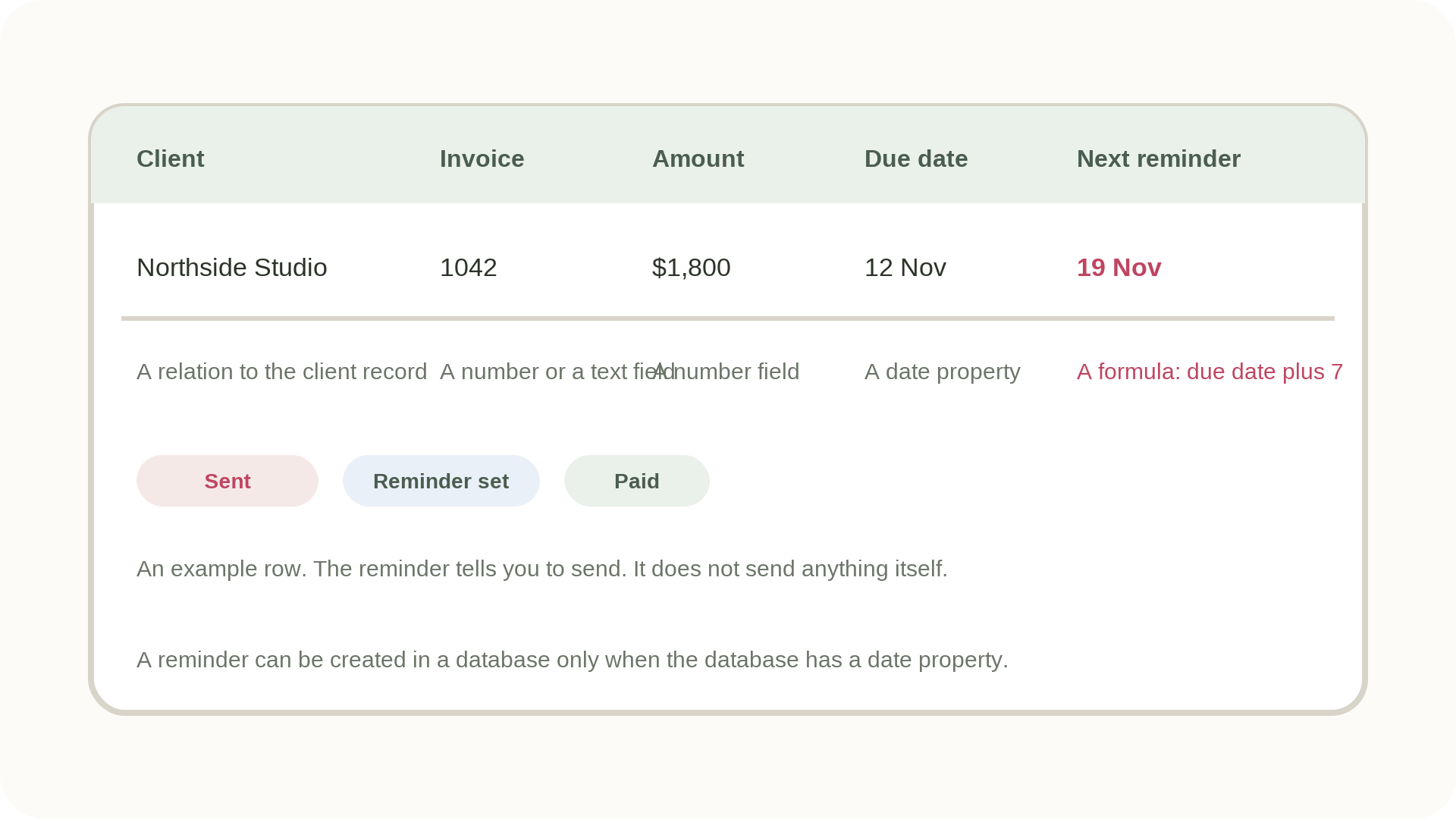
A Date property holds the due date, and a Formula property using dateAdd gives you the next send date. Both are standard Notion database property types (Notion, Database properties, 2026).
Start with the Date property. Notion's help page on reminders says you can create reminders in a database if the database has a Date property, and those reminders arrive in your inbox under Updates (Notion, Reminders, 2026). Set the due date there and the row has something to calculate from.
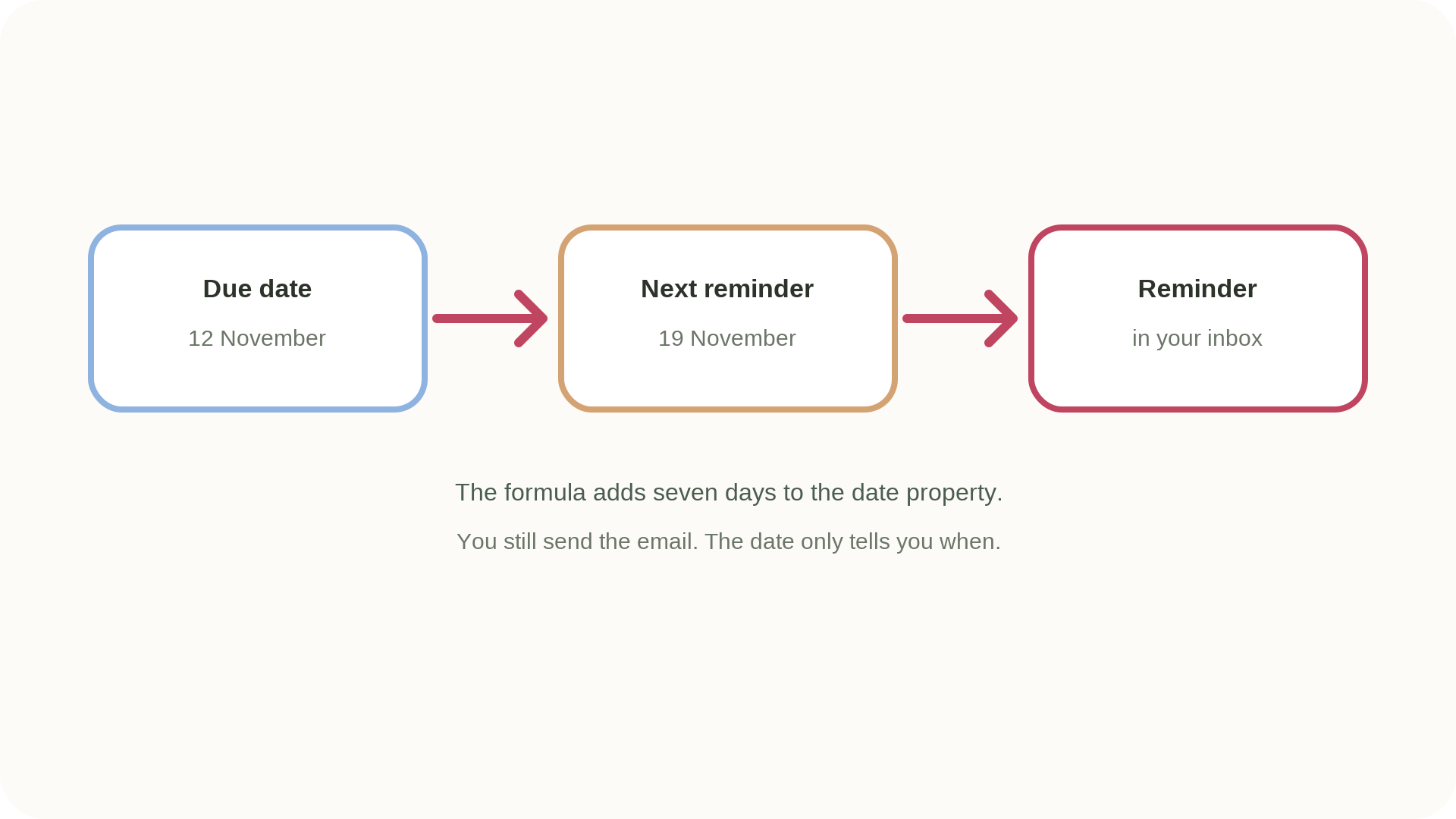
Then add a Formula property for the next reminder date. Notion's formula documentation shows dateAdd taking a property name, a number and a unit, and formulas reference a property by its name (Notion, Formulas, 2026). Following that documented syntax, the plus 7 date reads:
dateAdd(Due date, 7, "days")
Swap the unit for "weeks", "months" or "years" if your terms run longer. The same page lists the units, from years down to minutes. dateSubtract gives you the minus 3 date. dateBetween(now(), Due date, "days") returns how many days have passed, which is the figure the plus 7 and plus 14 messages need (Notion, Formula syntax, 2026).
The formula syntax above follows Notion's documented examples. We have not run it against your database, so check that the property names match your own before you rely on it.
Set a reminder on the date property, or type @remind and a date in the page. The reminder tells you to send. It does not send anything itself.
Why trust this article
Every platform claim here was checked against Notion's help pages on 20 November 2026 and linked where it appears, so you can read the same page. The four point sequence is a writing method rather than a statistic.
Nothing in this article is measured. There is no response rate, no average days to payment, and no test group. Where a number appears, it belongs to a hypothetical invoice used to show the shape of a message.
It is not legal advice, and it does not promise that a reminder gets an invoice paid. The scope is a solo freelancer invoicing from their own record, in their own words.
About the author: Notion Freelancer OS by Cosmo Suite publishes Notion templates for solo freelancers. If a link here has moved, contact us through the site and we will correct it.
Where the four send points live in Notion Freelancer OS
The invoice record keeps the client and the due date on one row, so the four points have a home, and the sending stays yours.
The contents include five hubs: Project, Productivity, Marketing, Business and Finance. The records cover clients, projects, invoices, proposals, contracts, timesheets and meetings, alongside income and expense tracking and monthly and yearly profit against a target. There are dated planners for 2026 and 2027, a Canva edit link, and it all runs on the Notion free plan.
The Finance hub is where the invoice record sits, and the next reminder date is a formula property on that same row. You open the row, read the date, and send the message you already wrote.
It is standalone. It does not share pages with clients, does not process payments, and does not send invoices or reminders. There are no client logins and no automation behind the send.
If you want the four dates in one place with the client attached, Notion Freelancer OS, a workspace that keeps the invoice row and the due date together, holds the row, and the four messages stay in your own inbox.
Frequently asked questions
How do you politely send an invoice reminder email?
Name the invoice, the amount and the due date in the first sentence, then ask one question. Leave out the apology and the word just. Facts first read as a status update, so the message stays polite even when the payment is late. Keep the whole thing to four to six sentences and one question at the end.
How do you send invoice reminders?
Send four messages, each one on a set date: three days before the due date, on the due date, seven days after, and fourteen days after. Write each message once, save it in a note, and send it in the same email thread as the invoice. Every message carries the invoice number, the amount, the due date, one payment route and one question.
How do you politely say an invoice is overdue?
State the due date and how many days have passed, then ask one question about what is needed to get it paid. Skip the word overdue at the first two points and use it only from plus 7. A plain sentence such as Invoice 1042 was due 12 November, and I have not seen it yet, reads as information rather than blame.
What should you write in a payment reminder email?
Write the invoice number, the amount, the due date, one payment route and one question. The first sentence holds the three facts and the second sentence asks the question. Leave out project history, feelings about the delay and any threat of fees. Four to six sentences is enough at each of the four send points.
How many reminders should you send before escalating?
It depends on the client and the amount, but four dated points cover most freelance invoices. The plus 14 message asks for a decision, not another date, and that is where you stop reminding and start choosing what happens next. After that you are in a collections conversation.
Does a reminder email get you paid?
It depends on why the invoice is late. A reminder makes the invoice easy to find and easy to approve, which helps when the delay is administrative. It cannot fix a client with no cash or a dispute you have not settled. Send the four messages, then decide what comes next instead of sending a fifth.
Does Notion Freelancer OS send the reminders for you?
No. It holds the invoice row with the client, the due date and a next reminder date, and you send the email yourself. It does not send invoices, take payments or share pages with clients. The record keeps the dates in one place, and the four messages stay in your own inbox.
Sources
Keep reading
Invoices and payments
Invoice Tracking Spreadsheet: 8 Columns and Where It Breaks
Invoice tracking spreadsheet: the five columns every sheet needs, the three most people forget, a copyable layout and the point where a sheet stops helping.
· 8 min read
Invoices and payments
Chasing Invoices as a Freelancer: The Order That Works
Chasing invoices as a freelancer: the order that works, from the first written reminder to the fourth-week decision, with the wording for each step.
· 10 min read
